Freelansa – Malaysia Freelancing Marketplace
Platform Freelance No.1 Malaysia
Follow the following steps to update your profile background image.
-
Visit Unsplash.com and search for your favorite image
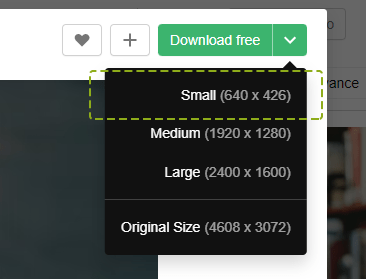
You can search for terms like “color”, “nature”, “retro” or any other term you like. Once you have found the image click to download and make sure you select “Small” as the size option.
-
Visit your Dashboard “Edit Profile” page and upload the image. You can use the same cover for Freelancer profile and Employer profile.


Join Freelansa Community. Get Free Upgrade Worth RM250!
This month, we're offering a free upgrade so you can start working immediately. The package, valued at RM250, includes credits to help you start selling your services and post projects. Whether you're just starting as a freelancer or looking for someone to assist with a task, Freelansa has got you covered.

2026 © Freelansa.my | Jom Buat Freelance.